
Alumni Sans Collegiate One
Designed By
Robert Leuschke
2 Styles Sans Serif
Letters for
every day.
Alumni Sans Collegiate One · Regular
Compare the family in headings, short labels and paragraph text.
2 styles available. Compare the specimens below, or enter your own text.
Download Alumni Sans Collegiate One ↓TTF · SIL Open Font License 1.1
Set Your Own Text
Change the style and size to compare the letterforms.
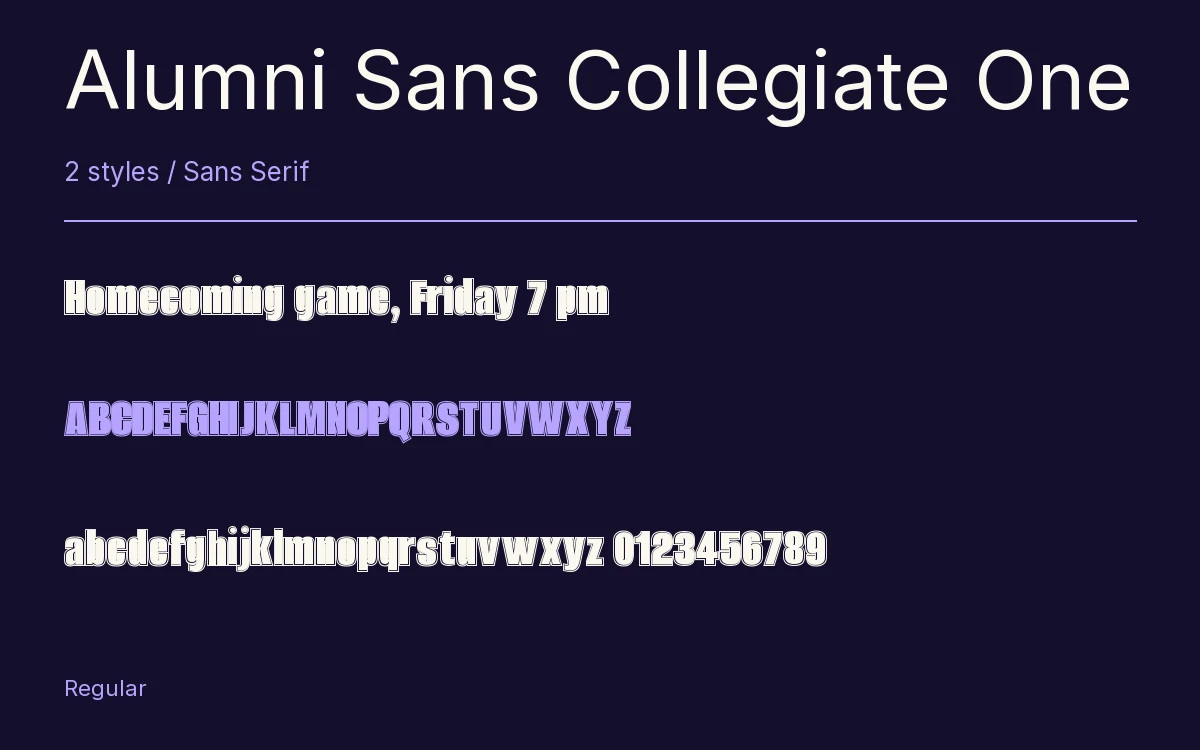
Homecoming game, Friday 7 pm
A Clear Hierarchy
Alumni Sans Collegiate One · Regular
Headings, labels and running text.
Departures09:00 →
Before You Travel
The morning service leaves at nine. Tickets are available at the station, and the platform is listed on the departure board. Keep your ticket until the end of the journey.
2 Styles,
One Family
Every available style is shown below in its own font file.
Regular400
Homecoming game, Friday 7 pm
Italic400
Homecoming game, Friday 7 pm
An outline runs around every letter here. Robert Leuschke took the Extra Bold of his Alumni Sans and added the decorative contour for jobs that want a sporty feel, a jersey number, a team crest, a homecoming poster.
It is very narrow, so a long team name fits across a chest or a banner. Leuschke’s own guidance is to keep it large, above 32 pt in print and above 96 px on screen, where the outline reads cleanly.
There is a roman and an italic of about the same width, and the files hold more than a sporty face usually needs: small caps, old style figures, fractions, Cyrillic and Vietnamese.
Characters & Figures
702 glyphs reported in the reference style. This selection shows 400 recorded characters.
ABCDEFGHIJKLMNOPQRSTUVWXYZ
abcdefghijklmnopqrstuvwxyz
0123456789 & @ ? !
View The Recorded Character Selection
The Font Files
Download
Alumni Sans Collegiate One
2 TTF styles with the accompanying CSS, README and license information.
Download ZIP · 176 KB ↓- Version
- 1.100
- License
- SIL Open Font License 1.1
Install On Your Computer
Extract the ZIP first. On Windows, select the font files and choose Install from the context menu. On macOS, open the files in Font Book and choose Install.
Use On A Website
Keep the font files and the included stylesheet together. Update the stylesheet path to match your project.
<link rel="stylesheet"
  href="/fonts/alumni-sans-collegiate-one-2/alumni-sans-collegiate-one-2.css">

body {
  font-family: 'Alumni Sans Collegiate One', sans-serif;
}
Keep the copyright and license notices with redistributed files.
Heading & Body
Compare a larger heading with the same family at reading size.
Alumni Sans Collegiate One Heading · Alumni Sans Collegiate One Body
Before You Travel
The morning service leaves at nine. Tickets are available at the station, and the platform is listed on the departure board. Keep your ticket until the end of the journey.