
Tektur
Designed By
Adam Jagosz
6 Styles Display
The evening
edition.
Tektur · Regular
Try a short headline and compare the letterforms at a larger scale.
6 styles available. Compare the specimens below, or enter your own text.
Download Tektur ↓TTF · SIL Open Font License 1.1
Set Your Own Text
Change the style and size to compare the letterforms.
Hangar 7, systems online
A Headline In Place
Tektur · Regular
A poster setting with supporting text.
Theatre / Music / Conversation
An Evening
In Good
Company.
Friday · 7:30 pm
The Assembly Rooms
6 Styles,
One Family
Every available style is shown below in its own font file.
Regular400
Hangar 7, systems online
Medium500
Hangar 7, systems online
Semi Bold600
Hangar 7, systems online
Bold700
Hangar 7, systems online
Extra Bold800
Hangar 7, systems online
Black900
Hangar 7, systems online
Where another sans would draw an o, Tektur draws an octagon with a rectangle inside. Adam Jagosz applied that rule to every round and left most of the diagonals alone, so a v or a k keeps its usual stance, and that is why the font stays readable despite all the cut corners.
The other big decision was vertical. The x-height is tall and the ascenders stop at the height of the capitals, which packs lines close and suits compact settings, a game HUD, a spec sheet, a label on hardware.
Jagosz is a Polish type designer, and a front-end developer, in Bielsko-Biała. The full Tektur project comes in 3 widths; this page has the normal width in 6 weights from Regular to Black, with Greek, Cyrillic and Vietnamese. Look in the 6 stylistic sets for alternates, and there is a slashed zero for codes and serial numbers.
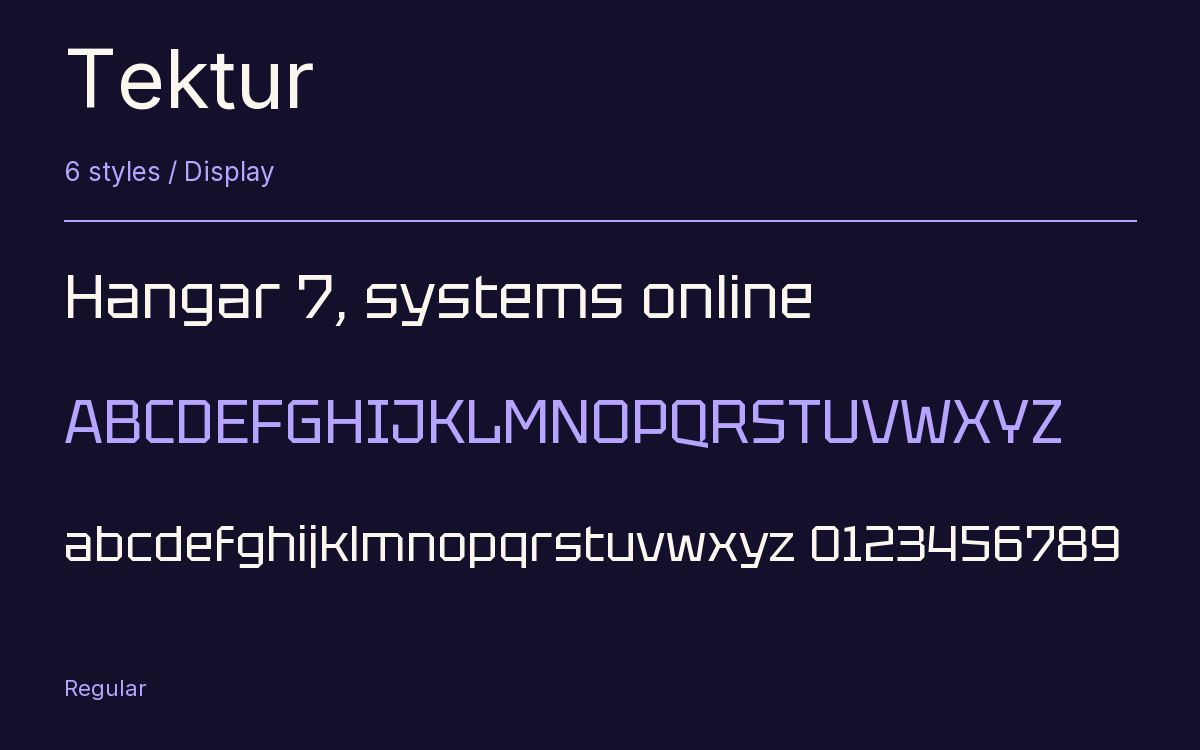
Characters & Figures
962 glyphs reported in the reference style. This selection shows 400 recorded characters.
ABCDEFGHIJKLMNOPQRSTUVWXYZ
abcdefghijklmnopqrstuvwxyz
0123456789 & @ ? !
View The Recorded Character Selection
The Font Files
Download
Tektur
6 TTF styles with the accompanying CSS, README and license information.
Download ZIP · 224 KB ↓- Version
- 1.005
- License
- SIL Open Font License 1.1
Install On Your Computer
Extract the ZIP first. On Windows, select the font files and choose Install from the context menu. On macOS, open the files in Font Book and choose Install.
Use On A Website
Keep the font files and the included stylesheet together. Update the stylesheet path to match your project.
<link rel="stylesheet"
  href="/fonts/tektur/tektur.css">

body {
  font-family: 'Tektur', sans-serif;
}
Keep the copyright and license notices with redistributed files.
Heading & Body
The family provides the heading; Inter carries the supporting text.
Tektur Heading · Inter Body
The Evening Performance
Doors open at seven. The performance begins at half past. Please take your seat before the lights go down.