
Ropa Sans
Designed By
Botjo Nikoltchev
2 Styles Sans Serif
Letters for
every day.
Ropa Sans · Regular
Compare the family in headings, short labels and paragraph text.
2 styles available. Compare the specimens below, or enter your own text.
Download Ropa Sans ↓TTF · SIL Open Font License 1.1
Set Your Own Text
Change the style and size to compare the letterforms.
Platform change at Leipzig
A Clear Hierarchy
Ropa Sans · Regular
Headings, labels and running text.
Departures09:00 →
Before You Travel
The morning service leaves at nine. Tickets are available at the station, and the platform is listed on the departure board. Keep your ticket until the end of the journey.
2 Styles,
One Family
Every available style is shown below in its own font file.
Regular400
Platform change at Leipzig
Italic400
Platform change at Leipzig
The italic came first, in a sense. Botjo Nikoltchev drew a strongly humanist italic with extreme ink traps, the deep notches cut into joins, and it pulled so hard on the design that he went back and changed nearly every shape of his early roman to match. The upright still tips its hat, from a distance, to the technical DIN lettering of the early 20th century. The italic doesn’t care about DIN at all, and that mismatch is what I like about the family.
Ropa Sans is the free cut of the bigger Ropa Sans Pro, with the Regular and its Italic, for Latin languages. The Pro has 8 weights, small caps and Cyrillic and Greek.
It is narrow, so it packs a lot into a caption or a sidebar, and the italic takes almost exactly the same space as the roman.
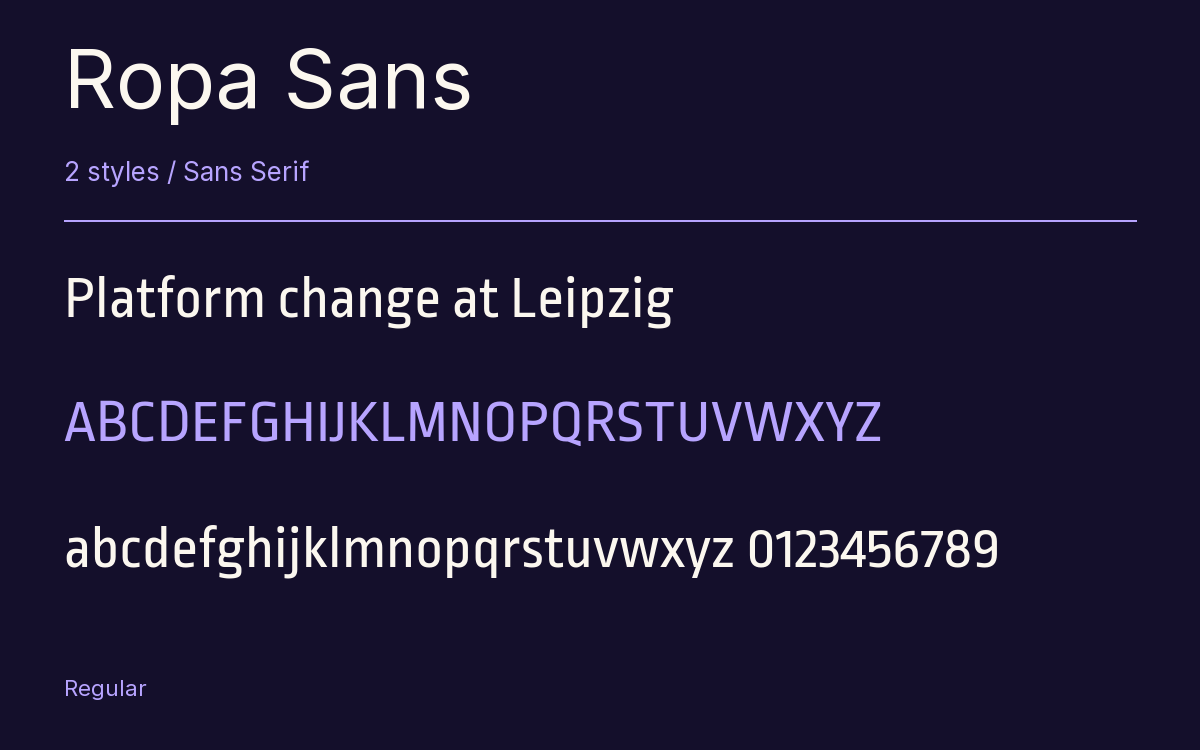
Characters & Figures
335 glyphs reported in the reference style. This selection shows 330 recorded characters.
ABCDEFGHIJKLMNOPQRSTUVWXYZ
abcdefghijklmnopqrstuvwxyz
0123456789 & @ ? !
View The Recorded Character Selection
The Font Files
Download
Ropa Sans
2 TTF styles with the accompanying CSS, README and license information.
Download ZIP · 59 KB ↓- Version
- 1.100
- License
- SIL Open Font License 1.1
Install On Your Computer
Extract the ZIP first. On Windows, select the font files and choose Install from the context menu. On macOS, open the files in Font Book and choose Install.
Use On A Website
Keep the font files and the included stylesheet together. Update the stylesheet path to match your project.
<link rel="stylesheet"
  href="/fonts/ropa-sans-2/ropa-sans-2.css">

body {
  font-family: 'Ropa Sans', sans-serif;
}
Keep the copyright and license notices with redistributed files.
Heading & Body
Compare a larger heading with the same family at reading size.
Ropa Sans Heading · Ropa Sans Body
Before You Travel
The morning service leaves at nine. Tickets are available at the station, and the platform is listed on the departure board. Keep your ticket until the end of the journey.
Other Sans Serif Families
Browse All Sans Serif Fonts → Sans Serif1 StyleFontshare
- SarabunSans Serif16 StylesGoogle Fonts
- Noto Sans HebrewSans Serif9 StylesGoogle Fonts
- Chocolate Classical SansSans Serif1 StyleGoogle Fonts
- Noto Sans OsmanyaSans Serif1 StyleGoogle Fonts
- Tsukimi RoundedSans Serif5 StylesGoogle Fonts