
Content
Designed By
Danh Hong
2 Styles Display
ក ខ គ ឃ ង ច ឆ ជ ឈ ញ ដ ឋ ឌ ឍ ណ ត ថ ទ ធ ន ប ផ ព ភ
Content · Regular
Try a short headline and compare the letterforms at a larger scale.
2 styles available. Compare the specimens below, or enter your own text.
Download Content ↓TTF · SIL Open Font License 1.1
Set Your Own Text
Change the style and size to compare the letterforms.
ក ខ គ ឃ ង ច ឆ ជ ឈ ញ ដ ឋ ឌ ឍ ណ ត ថ ទ ធ ន ប ផ ព ភ
A Headline In Place
Content · Regular
A poster setting with supporting text.
Character Selection
ក ខ គ ឃ ង ច ឆ ជ ឈ ញ ដ ឋ ឌ ឍ ណ ត ថ ទ ធ ន ប ផ ព ភ
Try your own text above to check connected letterforms and spacing in context.
2 Styles,
One Family
Every available style is shown below in its own font file.
Regular400
ក ខ គ ឃ ង ច ឆ ជ ឈ ញ ដ ឋ ឌ ឍ ណ ត ថ ទ ធ ន ប ផ ព ភ
Bold700
ក ខ គ ឃ ង ច ឆ ជ ឈ ញ ដ ឋ ឌ ឍ ណ ត ថ ទ ធ ន ប ផ ព ភ
Content comes out of Danh Hong’s long work on Khmer and other Southeast Asian type, and out of KhmerOS, the project he is involved in, which wants Cambodians able to use computers in Khmer. It is a Khmer font made to render text clearly and well, in Regular and Bold.
The file holds the Khmer letters, vowel signs and digits with basic punctuation, and no Latin alphabet, so pair it with a Latin face when a document mixes the 2. We would use the Regular for running text and keep the Bold for headings.
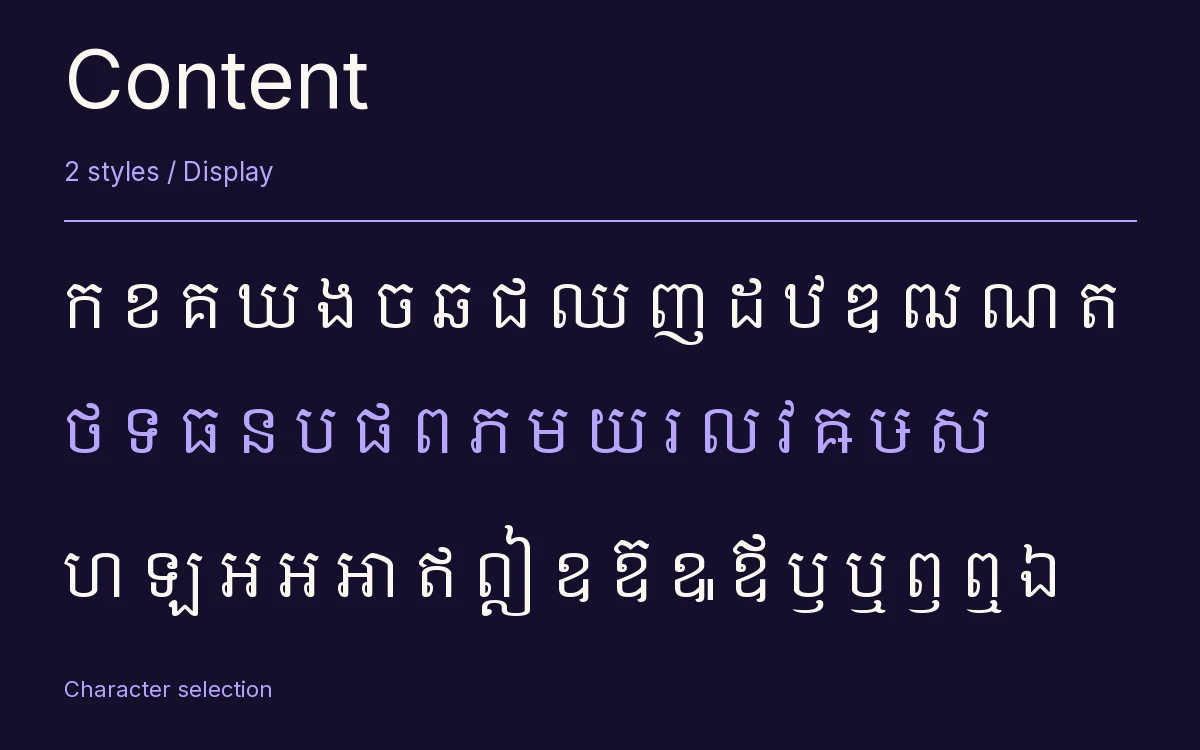
Characters & Figures
138 glyphs reported in the reference style. This selection shows 134 recorded characters.
ក ខ គ ឃ ង ច ឆ ជ ឈ ញ ដ ឋ ឌ ឍ ណ ត ថ ទ ធ ន ប ផ ព ភ
View The Recorded Character Selection
The Font Files
Download
Content
2 TTF styles with the accompanying CSS, README and license information.
Download ZIP · 103 KB ↓- Version
- 6.00
- License
- SIL Open Font License 1.1
Install On Your Computer
Extract the ZIP first. On Windows, select the font files and choose Install from the context menu. On macOS, open the files in Font Book and choose Install.
Use On A Website
Keep the font files and the included stylesheet together. Update the stylesheet path to match your project.
<link rel="stylesheet"
  href="/fonts/content/content.css">

body {
  font-family: 'Content', sans-serif;
}
Keep the copyright and license notices with redistributed files.