
Fusion Pixel 8px Monospaced SC
Designed By
TakWolf
1 Style Display
The evening
edition.
Fusion Pixel 8px Monospaced SC · Regular
Try a short headline and compare the letterforms at a larger scale.
1 style available. Compare the specimens below, or enter your own text.
Download Fusion Pixel 8px Monospaced SC ↓OTF · SIL Open Font License 1.1
Set Your Own Text
Change the style and size to compare the letterforms.
Turn 12, your move
A Headline In Place
Fusion Pixel 8px Monospaced SC · Regular
A poster setting with supporting text.
Theatre / Music / Conversation
An Evening
In Good
Company.
Friday · 7:30 pm
The Assembly Rooms
1 Style,
One Family
Every available style is shown below in its own font file.
Regular400
Turn 12, your move
MisekiBitmap draws the Chinese in this file. At 8 pixels Fusion Pixel has no base of its own to build on for Chinese, so TakWolf takes the Simplified characters from that font, and they follow the Table of General Standard Chinese Characters.
The monospaced build holds everything to 2 widths, a narrow one for Latin and a square one for Han, kana and Hangul, and keeps every glyph inside its cell. That is what you want on a fixed grid such as a log window or a tile-based map label. The project is frank that the grid has a price at this size: some complex characters cannot be drawn, and the Latin baseline sits a little high beside Chinese.
- Scripts: Latin, kana, Hangul, Bopomofo and the Han set, 28,409 characters, with no Greek or Cyrillic.
For a sentence of dialogue we would switch to a proportional Fusion file. For a score, a turn counter or a row of stats, this one.
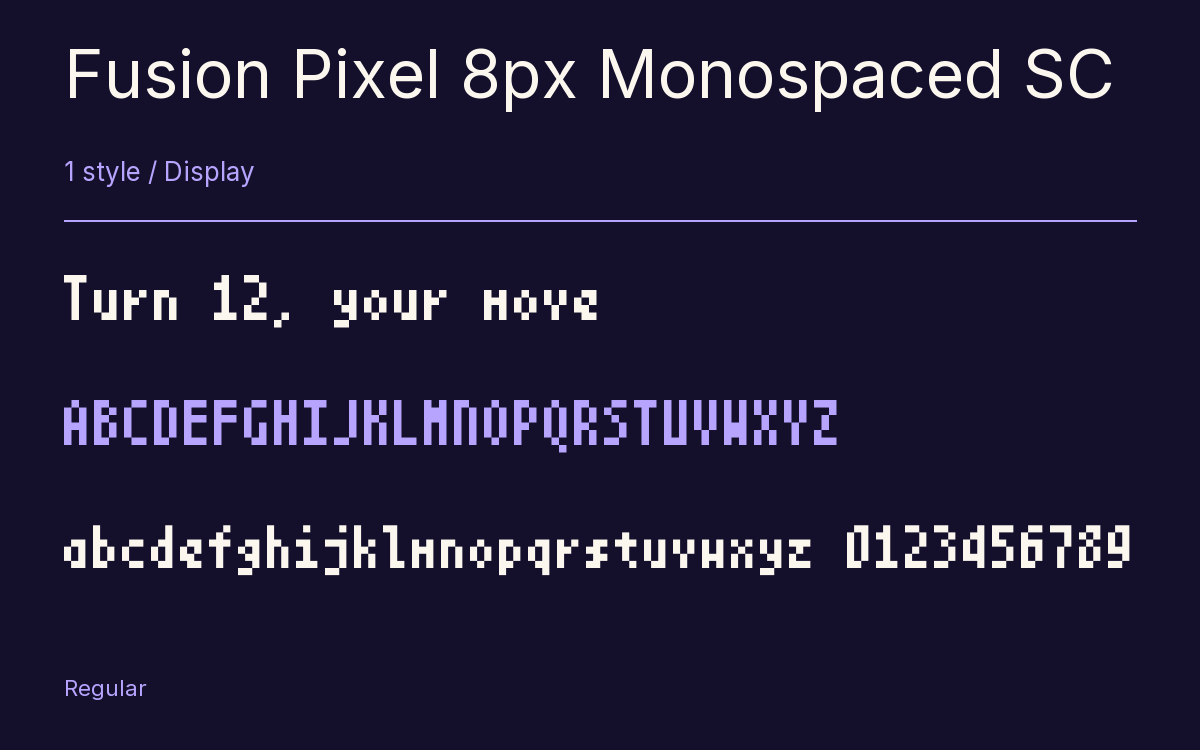
Characters & Figures
28,409 glyphs reported in the reference style. This selection shows 400 recorded characters.
ABCDEFGHIJKLMNOPQRSTUVWXYZ
abcdefghijklmnopqrstuvwxyz
0123456789 & @ ? !
View The Recorded Character Selection
The Font Files
Download
Fusion Pixel 8px Monospaced SC
1 OTF style with the accompanying CSS, README and license information.
Download ZIP · 572 KB ↓- Version
- 2026.09.25
- License
- SIL Open Font License 1.1
Install On Your Computer
Extract the ZIP first. On Windows, select the font files and choose Install from the context menu. On macOS, open the files in Font Book and choose Install.
Use On A Website
Keep the font files and the included stylesheet together. Update the stylesheet path to match your project.
<link rel="stylesheet"
  href="/fonts/fusion-pixel-8px-monospaced-sc/fusion-pixel-8px-monospaced-sc.css">

body {
  font-family: 'Fusion Pixel 8px Monospaced SC', sans-serif;
}
Keep the copyright and license notices with redistributed files.
Heading & Body
The family provides the heading; Inter carries the supporting text.
Fusion Pixel 8px Monospaced SC Heading · Inter Body
The Evening Performance
Doors open at seven. The performance begins at half past. Please take your seat before the lights go down.