
IBM Plex Sans Hebrew
Designed By
Mike Abbink, Bold Monday
7 Styles Sans Serif
Letters for
every day.
IBM Plex Sans Hebrew · Regular
Compare the family in headings, short labels and paragraph text.
7 styles available. Compare the specimens below, or enter your own text.
Download IBM Plex Sans Hebrew ↓TTF · SIL Open Font License 1.1
Set Your Own Text
Change the style and size to compare the letterforms.
Quarterly report, Tel Aviv office
A Clear Hierarchy
IBM Plex Sans Hebrew · Regular
Headings, labels and running text.
Departures09:00 →
Before You Travel
The morning service leaves at nine. Tickets are available at the station, and the platform is listed on the departure board. Keep your ticket until the end of the journey.
7 Styles,
One Family
Every available style is shown below in its own font file.
Thin100
Quarterly report, Tel Aviv office
Extra Light200
Quarterly report, Tel Aviv office
Light300
Quarterly report, Tel Aviv office
Regular400
Quarterly report, Tel Aviv office
Medium500
Quarterly report, Tel Aviv office
Semi Bold600
Quarterly report, Tel Aviv office
Bold700
Quarterly report, Tel Aviv office
Compared with the rest of Plex, the new name in the credits is Yanek Iontef. He appears beside Mike Abbink and Bold Monday’s Paul van der Laan and Pieter van Rosmalen, the team behind IBM’s corporate Plex family, and this is the Hebrew branch of it, meant to sit with Plex Sans, Condensed, Serif and Mono.
What you get here is 7 upright weights, Thin at 100 up to Bold at 700, each with the Plex Latin built in, so Hebrew and English share 1 font file and 1 weight scale. There are no italics. Google added it in June 2021.
Plex Sans Hebrew keeps the family’s extras, a slashed zero and 5 stylistic sets among them. For a bilingual dashboard or an app that switches between right-to-left and left-to-right it is a sensible pick, Regular for body text, Semi Bold for labels that need weight.
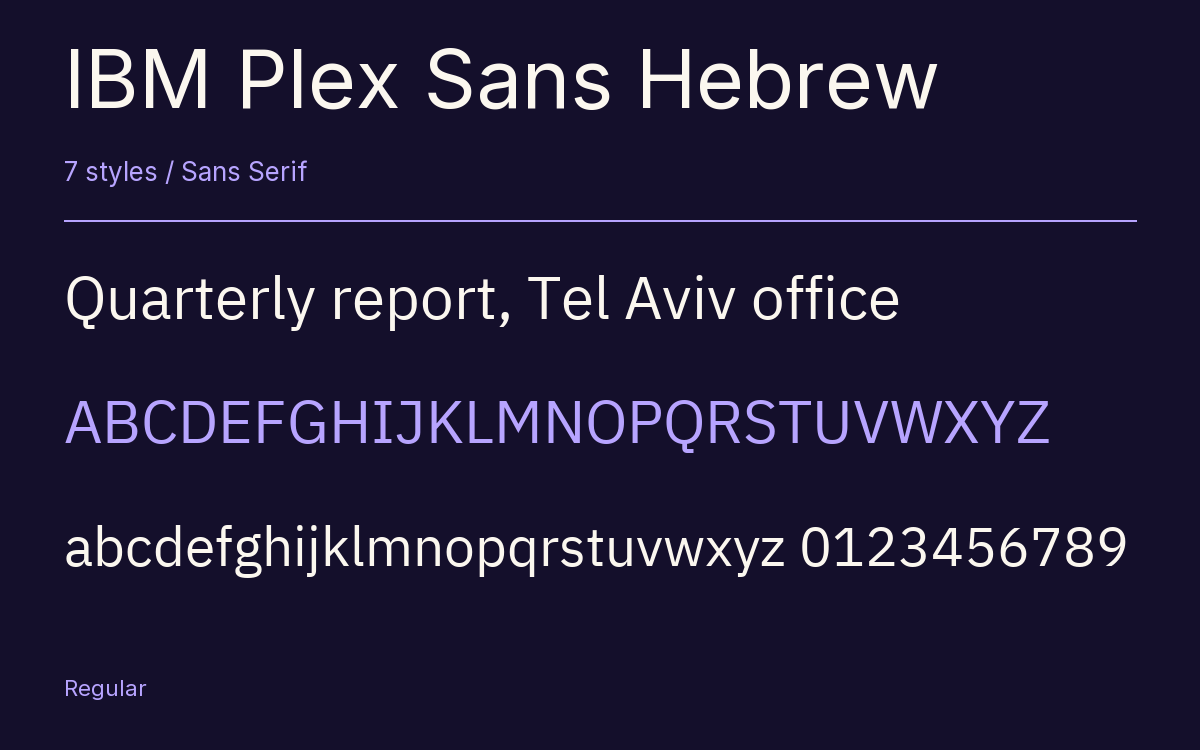
Characters & Figures
437 glyphs reported in the reference style. This selection shows 400 recorded characters.
ABCDEFGHIJKLMNOPQRSTUVWXYZ
abcdefghijklmnopqrstuvwxyz
0123456789 & @ ? !
View The Recorded Character Selection
The Font Files
Download
IBM Plex Sans Hebrew
7 TTF styles with the accompanying CSS, README and license information.
Download ZIP · 315 KB ↓- Version
- 1.2
- License
- SIL Open Font License 1.1
Install On Your Computer
Extract the ZIP first. On Windows, select the font files and choose Install from the context menu. On macOS, open the files in Font Book and choose Install.
Use On A Website
Keep the font files and the included stylesheet together. Update the stylesheet path to match your project.
<link rel="stylesheet"
  href="/fonts/ibm-plex-sans-hebrew-2/ibm-plex-sans-hebrew-2.css">

body {
  font-family: 'IBM Plex Sans Hebrew', sans-serif;
}
Keep the copyright and license notices with redistributed files.
Heading & Body
Compare a larger heading with the same family at reading size.
IBM Plex Sans Hebrew Heading · IBM Plex Sans Hebrew Body
Before You Travel
The morning service leaves at nine. Tickets are available at the station, and the platform is listed on the departure board. Keep your ticket until the end of the journey.