
Pixelify Sans
Designed By
Stefie Justprince
4 Styles Display
The evening
edition.
Pixelify Sans · Regular
Try a short headline and compare the letterforms at a larger scale.
4 styles available. Compare the specimens below, or enter your own text.
Download Pixelify Sans ↓TTF · SIL Open Font License 1.1
Set Your Own Text
Change the style and size to compare the letterforms.
Press start, player 2
A Headline In Place
Pixelify Sans · Regular
A poster setting with supporting text.
Theatre / Music / Conversation
An Evening
In Good
Company.
Friday · 7:30 pm
The Assembly Rooms
4 Styles,
One Family
Every available style is shown below in its own font file.
Regular400
Press start, player 2
Medium500
Press start, player 2
Semi Bold600
Press start, player 2
Bold700
Press start, player 2
How do you make a pixel font bold? Pixelify Sans does it in 4 weights, Regular through Bold, all on the same square grid, so a game menu can carry a heavier title over lighter options and keep the blocky look throughout.
Stefie Justprince designed it under the Typecalism Foundryline name, and Google added it in September 2023. The style goes back to the 1980s, when computer graphics and video games built every letter from a grid of small square pixels.
574 characters reach into Cyrillic and Greek, and localizing a game’s menus would not mean changing fonts.
One practical point. Pixel designs smear when they get scaled by fractions, so pick sizes where the steps land on whole screen pixels and the edges stay crisp.
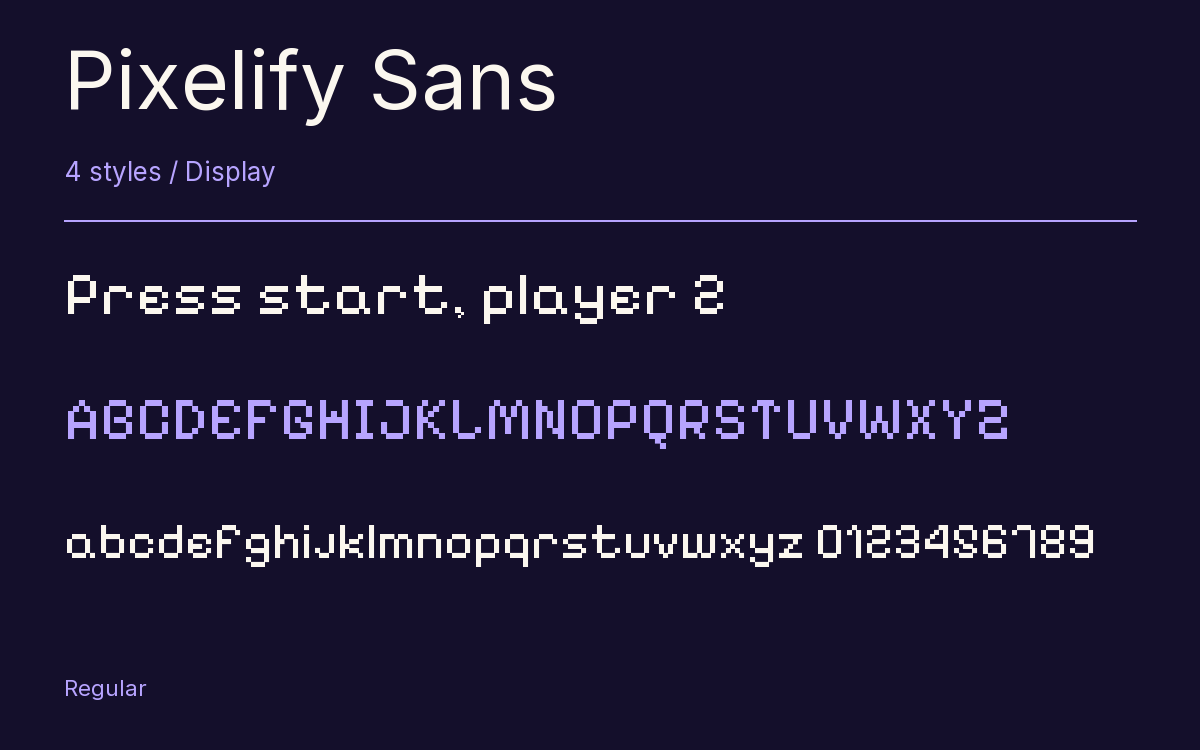
Characters & Figures
574 glyphs reported in the reference style. This selection shows 400 recorded characters.
ABCDEFGHIJKLMNOPQRSTUVWXYZ
abcdefghijklmnopqrstuvwxyz
0123456789 & @ ? !
View The Recorded Character Selection
The Font Files
Download
Pixelify Sans
4 TTF styles with the accompanying CSS, README and license information.
Download ZIP · 86 KB ↓- Version
- 1.000
- License
- SIL Open Font License 1.1
Install On Your Computer
Extract the ZIP first. On Windows, select the font files and choose Install from the context menu. On macOS, open the files in Font Book and choose Install.
Use On A Website
Keep the font files and the included stylesheet together. Update the stylesheet path to match your project.
<link rel="stylesheet"
  href="/fonts/pixelify-sans-3/pixelify-sans-3.css">

body {
  font-family: 'Pixelify Sans', sans-serif;
}
Keep the copyright and license notices with redistributed files.
Heading & Body
The family provides the heading; Inter carries the supporting text.
Pixelify Sans Heading · Inter Body
The Evening Performance
Doors open at seven. The performance begins at half past. Please take your seat before the lights go down.