
Fauna One
Designed By
Eduardo Tunni
1 Style Serif
The pleasure
of a well-set
page.
Fauna One · Regular
Compare this serif family in headings and a continuous reading sample.
1 style available. Compare the specimens below, or enter your own text.
Download Fauna One ↓TTF · SIL Open Font License 1.1
Set Your Own Text
Change the style and size to compare the letterforms.
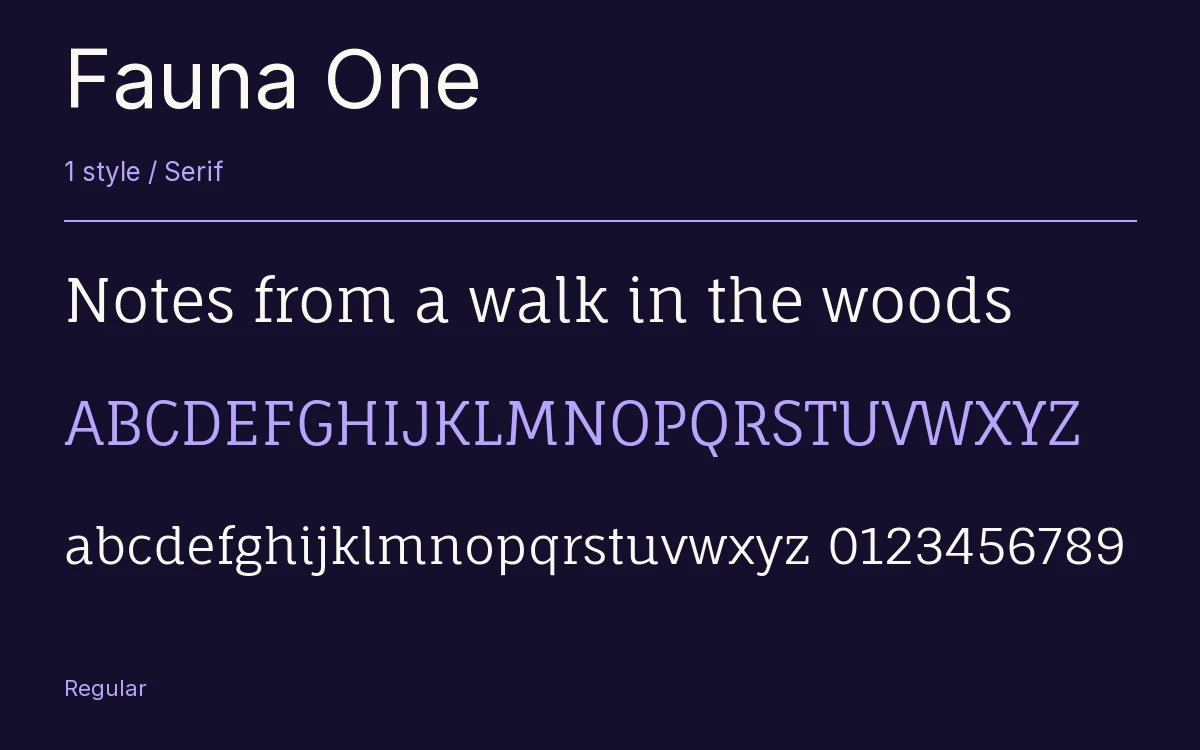
Notes from a walk in the woods
A Page In Fauna One
Fauna One · Regular
Headings, labels and running text.
Notes From The Reading Room
The reading room opens onto a quiet courtyard. Along the shelves, small handwritten labels mark the collections. A visitor leaves a book open beside the window, keeping a place for the next reader.
A heading marks the next chapter. The margins leave room for a note while the text continues across the page.
1 Style,
One Family
Every available style is shown below in its own font file.
Regular400
Notes from a walk in the woods
Fauna One has a big lowercase. Its small letters stand at 78% of the capital height, which keeps them clear when the text is small, and the low contrast in the strokes helps the same way on a screen.
Eduardo Tunni gave it soft terminals that still finish as proper serifs, so the page looks traditional at a distance and gentle up close. In January 2023 it got a bigger glyph set, fractions and some small refinements; there are 413 characters now, Latin and Latin Extended.
Since there is only a Regular, we would use it for a blog or a magazine feature where headlines and text can share a single style at different sizes, and bring in another family if you need bold.
Characters & Figures
413 glyphs reported in the reference style. This selection shows 400 recorded characters.
ABCDEFGHIJKLMNOPQRSTUVWXYZ
abcdefghijklmnopqrstuvwxyz
0123456789 & @ ? !
View The Recorded Character Selection
The Font Files
Download
Fauna One
1 TTF style with the accompanying CSS, README and license information.
Download ZIP · 33 KB ↓- Version
- 2.001
- License
- SIL Open Font License 1.1
Install On Your Computer
Extract the ZIP first. On Windows, select the font files and choose Install from the context menu. On macOS, open the files in Font Book and choose Install.
Use On A Website
Keep the font files and the included stylesheet together. Update the stylesheet path to match your project.
<link rel="stylesheet"
  href="/fonts/fauna-one-2/fauna-one-2.css">

body {
  font-family: 'Fauna One', sans-serif;
}
Keep the copyright and license notices with redistributed files.
Heading & Body
The family provides the heading; Inter carries the supporting text.
Fauna One Heading · Inter Body
Notes From The Reading Room
The reading room opens onto a quiet courtyard. Along the shelves, small handwritten labels mark the collections. A visitor leaves a book open beside the window, keeping a place for the next reader.
Other Serif Families
Browse All Serif Fonts →- Maiden OrangeSerif1 StyleGoogle Fonts
 Serif1 StyleFontshare
- Noto Serif TibetanSerif9 StylesGoogle Fonts
- Gilda DisplaySerif1 StyleGoogle Fonts
- Shippori MinchoSerif5 StylesGoogle Fonts
- Yuji BokuSerif1 StyleGoogle Fonts