
Fusion Pixel 8px Proportional JP
Designed By
TakWolf
1 Style Display
The evening
edition.
Fusion Pixel 8px Proportional JP · Regular
Try a short headline and compare the letterforms at a larger scale.
1 style available. Compare the specimens below, or enter your own text.
Download Fusion Pixel 8px Proportional JP ↓TTF · SIL Open Font License 1.1
Set Your Own Text
Change the style and size to compare the letterforms.
Snow falls on the shrine
A Headline In Place
Fusion Pixel 8px Proportional JP · Regular
A poster setting with supporting text.
Theatre / Music / Conversation
An Evening
In Good
Company.
Friday · 7:30 pm
The Assembly Rooms
1 Style,
One Family
Every available style is shown below in its own font file.
Regular400
Snow falls on the shrine
Fusion Pixel ships a latin build next to its CJK ones, with punctuation placed, sized and spaced the Western way for text that is mostly in Latin letters. This file sits on the other side of that choice. It is the ja build, for text that is mostly Japanese with a few English words mixed in.
At this size the kanji come from Misaki, the 8 pixel Japanese bitmap font, and they follow Japanese standard forms. The hanzi for the Chinese builds and the Hangul are borrowed from other pixel projects, MisekiBitmap and BoutiqueBitmap7x7 for Chinese, Galmuri for Korean.
Proportional spacing, kerning, 1 Regular style.
For the Japanese release of a small pixel game, where the screen is tiny and the text runs to item names and 1-line messages, it is our first pick. A game written in English with a few Japanese names is better served by the latin build.
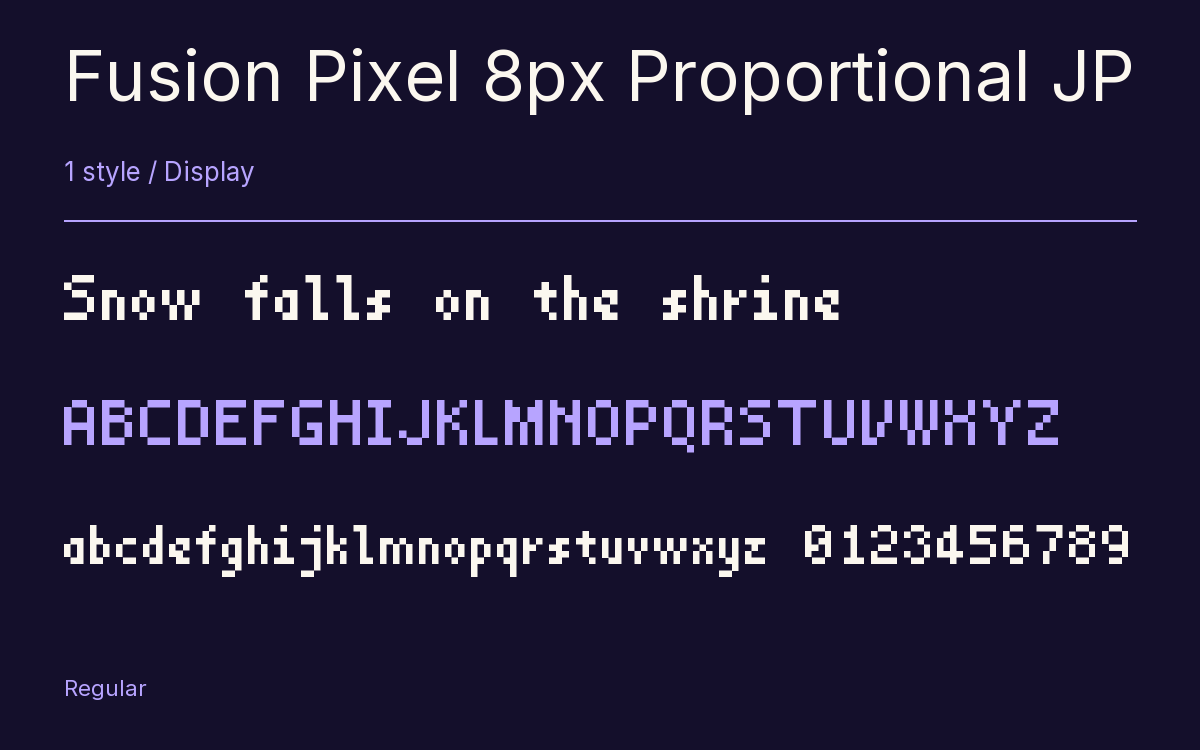
Characters & Figures
28,409 glyphs reported in the reference style. This selection shows 400 recorded characters.
ABCDEFGHIJKLMNOPQRSTUVWXYZ
abcdefghijklmnopqrstuvwxyz
0123456789 & @ ? !
View The Recorded Character Selection
The Font Files
Download
Fusion Pixel 8px Proportional JP
1 TTF style with the accompanying CSS, README and license information.
Download ZIP · 838 KB ↓- Version
- 2026.09.25
- License
- SIL Open Font License 1.1
Install On Your Computer
Extract the ZIP first. On Windows, select the font files and choose Install from the context menu. On macOS, open the files in Font Book and choose Install.
Use On A Website
Keep the font files and the included stylesheet together. Update the stylesheet path to match your project.
<link rel="stylesheet"
  href="/fonts/fusion-pixel-8px-proportional-jp/fusion-pixel-8px-proportional-jp.css">

body {
  font-family: 'Fusion Pixel 8px Proportional JP', sans-serif;
}
Keep the copyright and license notices with redistributed files.
Heading & Body
The family provides the heading; Inter carries the supporting text.
Fusion Pixel 8px Proportional JP Heading · Inter Body
The Evening Performance
Doors open at seven. The performance begins at half past. Please take your seat before the lights go down.