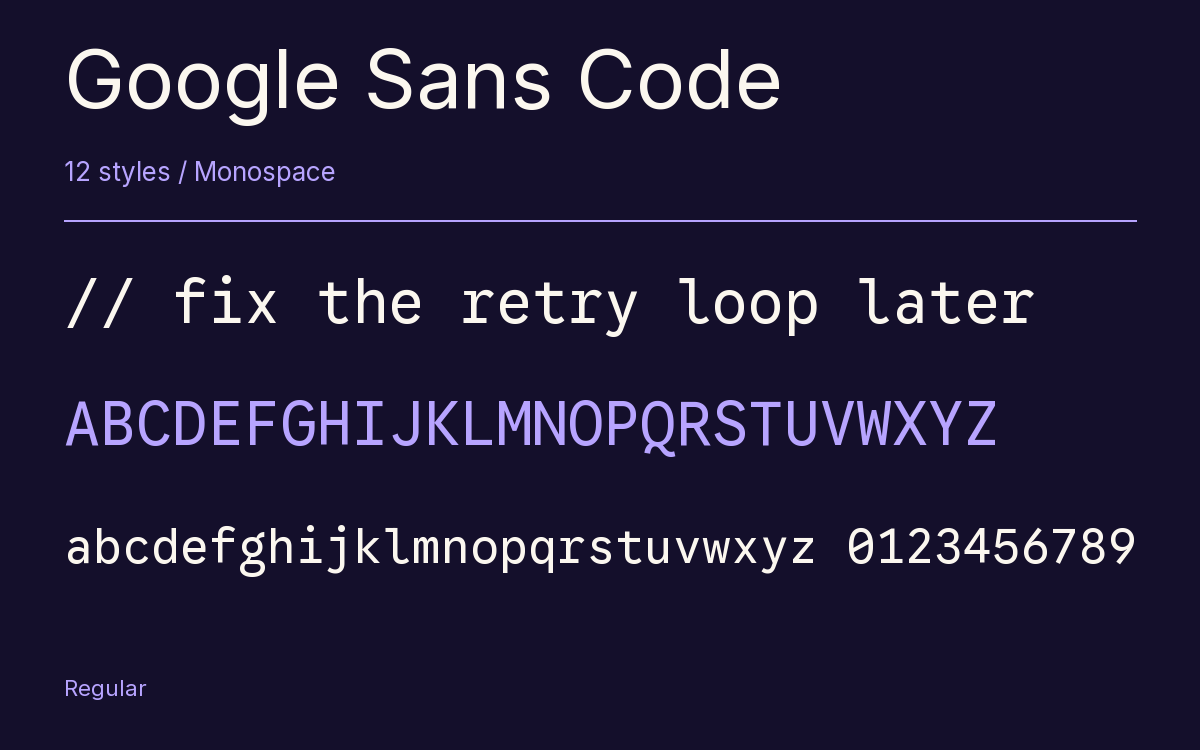
Google Sans Code
Designed By
Google, Universal Thirst
12 Styles Monospace
Type Specimen / 01Il1 O0
{ } [ ]
Google Sans Code · Regular
Compare letter widths, punctuation and figures in an aligned setting.
12 styles available. Compare the specimens below, or enter your own text.
Download Google Sans Code ↓TTF · SIL Open Font License 1.1
Set Your Own Text
Change the style and size to compare the letterforms.
// fix the retry loop later
Every Position Counts
Google Sans Code · Regular
Equal-width letters and figures.
Specimen.js
const family = "Google Sans Code";

function specimen(size) {
  return { family, size };
}

specimen(24);
0123456789
9876543210
Il1 O0 {} []
12 Styles,
One Family
Every available style is shown below in its own font file.
Light300
// fix the retry loop later
Light Italic300
// fix the retry loop later
Regular400
// fix the retry loop later
Italic400
// fix the retry loop later
Medium500
// fix the retry loop later
Medium Italic500
// fix the retry loop later
Semi Bold600
// fix the retry loop later
Semi Bold Italic600
// fix the retry loop later
Bold700
// fix the retry loop later
Bold Italic700
// fix the retry loop later
Extra Bold800
// fix the retry loop later
Extra Bold Italic800
// fix the retry loop later
Code comments get the italic. That is the thinking behind the most distinctive part of Google Sans Code: syntax highlighting themes tend to set comments in italic, so the italic was drawn livelier and with more contrast than the roman, after the italic types of Ludovico Vicentino degli Arrighi.
The designers compare it to old Latin manuscripts, where an annotator’s notes went down in an italic hand next to the roman main text. Your code is the main text, your comments are the notes. We like that a lot.
The roman is the sober half. Google derived it from its brand fonts, working with Universal Thirst, and opened the counters as far as a fixed width allows, with gradual curves and straight vertical segments inside the round letters. The a, the g and the Q borrow from book typefaces so they can’t be confused with their neighbors, and the symbols that carry the grammar of code, brackets, operators and the like, were tuned so they hold their own against letters and digits.
12 styles, Light at 300 to Extra Bold at 800, each with its italic. Box-drawing characters and geometric symbols are included for terminal work, and the Latin coverage reaches Vietnamese. Google Fonts added it in November 2024, with a dedication to Chris Simpkins, whose enthusiasm and effort the team calls foundational to the project.
Next to Consolas it sets about 9% wider, so a split editor will show fewer characters per line.
Characters & Figures
670 glyphs reported in the reference style. This selection shows 400 recorded characters.
ABCDEFGHIJKLMNOPQRSTUVWXYZ
abcdefghijklmnopqrstuvwxyz
0123456789 & @ ? !
View The Recorded Character Selection
The Font Files
Download
Google Sans Code
12 TTF styles with the accompanying CSS, README and license information.
Download ZIP · 368 KB ↓- Version
- 6.001
- License
- SIL Open Font License 1.1
Install On Your Computer
Extract the ZIP first. On Windows, select the font files and choose Install from the context menu. On macOS, open the files in Font Book and choose Install.
Use On A Website
Keep the font files and the included stylesheet together. Update the stylesheet path to match your project.
<link rel="stylesheet"
  href="/fonts/google-sans-code/google-sans-code.css">

body {
  font-family: 'Google Sans Code', monospace;
}
Keep the copyright and license notices with redistributed files.
Heading & Body
The family provides the heading; Inter carries the supporting text.
Google Sans Code Heading · Inter Body
Letters, Figures & Code
Names, values and punctuation share a fixed rhythm. Compare the zero with the capital O, and the number one with the lowercase l.