
Red Hat Text
Designed By
MCKL
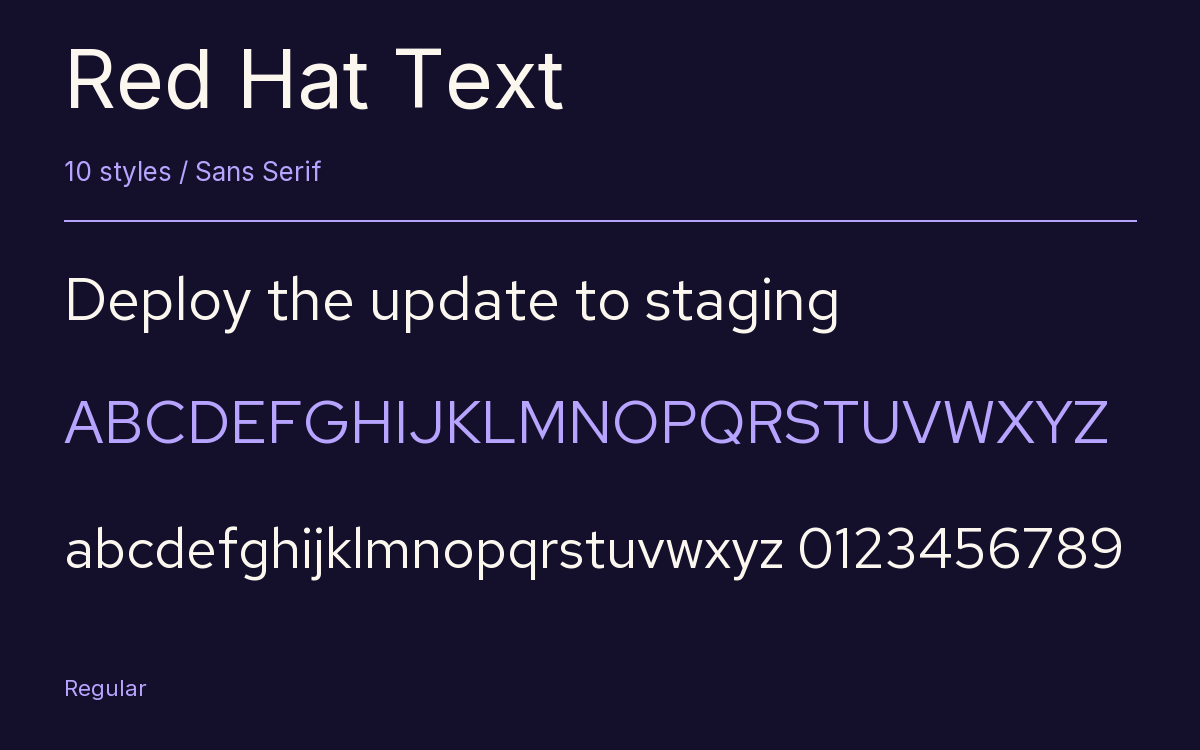
10 Styles Sans Serif
Letters for
every day.
Red Hat Text · Regular
Compare the family in headings, short labels and paragraph text.
10 styles available. Compare the specimens below, or enter your own text.
Download Red Hat Text ↓TTF · SIL Open Font License 1.1
Set Your Own Text
Change the style and size to compare the letterforms.
Deploy the update to staging
A Clear Hierarchy
Red Hat Text · Regular
Headings, labels and running text.
Departures09:00 →
Before You Travel
The morning service leaves at nine. Tickets are available at the station, and the platform is listed on the departure board. Keep your ticket until the end of the journey.
10 Styles,
One Family
Every available style is shown below in its own font file.
Light300
Deploy the update to staging
Light Italic300
Deploy the update to staging
Regular400
Deploy the update to staging
Italic400
Deploy the update to staging
Medium500
Deploy the update to staging
Medium Italic500
Deploy the update to staging
Semi Bold600
Deploy the update to staging
Semi Bold Italic600
Deploy the update to staging
Bold700
Deploy the update to staging
Bold Italic700
Deploy the update to staging
Jeremy Mickel at MCKL designed the Red Hat family as a geometric sans in 2 optical sizes plus a monospace, on a commission from Paula Scher at Pentagram for the new Red Hat identity, and he looked back to American sans serifs such as Highway Gothic and Tempo.
This is the Text size, and the difference from Display is deliberate:
- Display is spaced tightly, with low contrast, a large x-height and open counters, for headlines.
- Text has a slightly smaller x-height and a narrower build, looser spacing, and joins thinned so they do not clog at small sizes.
The 2 are meant to be used together, Display above and Text below, and they match closely enough that the switch is hard to spot.
Here you get Light, Regular, Medium, Semi Bold and Bold, each with an italic, plus a slashed zero, tabular figures and 2 stylistic sets. The family went variable with a weight axis in June 2021. In November 2024 Medium and Semi Bold were adjusted slightly, after users kept reporting that the weights did not step evenly.
For documentation and product screens it is a solid, unfussy choice. We would set it at 15 or 16 px for running text and leave the tight-fitting headlines to Red Hat Display.
Characters & Figures
406 glyphs reported in the reference style. This selection shows 397 recorded characters.
ABCDEFGHIJKLMNOPQRSTUVWXYZ
abcdefghijklmnopqrstuvwxyz
0123456789 & @ ? !
View The Recorded Character Selection
The Font Files
Download
Red Hat Text
10 TTF styles with the accompanying CSS, README and license information.
Download ZIP · 277 KB ↓- Version
- 1.030
- License
- SIL Open Font License 1.1
Install On Your Computer
Extract the ZIP first. On Windows, select the font files and choose Install from the context menu. On macOS, open the files in Font Book and choose Install.
Use On A Website
Keep the font files and the included stylesheet together. Update the stylesheet path to match your project.
<link rel="stylesheet"
  href="/fonts/red-hat-text-2/red-hat-text-2.css">

body {
  font-family: 'Red Hat Text', sans-serif;
}
Keep the copyright and license notices with redistributed files.
Heading & Body
Compare a larger heading with the same family at reading size.
Red Hat Text Heading · Red Hat Text Body
Before You Travel
The morning service leaves at nine. Tickets are available at the station, and the platform is listed on the departure board. Keep your ticket until the end of the journey.