
M PLUS 1 Code
Designed By
Coji Morishita
7 Styles Monospace
Type Specimen / 01Il1 O0
{ } [ ]
M PLUS 1 Code · Regular
Compare letter widths, punctuation and figures in an aligned setting.
7 styles available. Compare the specimens below, or enter your own text.
Download M PLUS 1 Code ↓TTF · SIL Open Font License 1.1
Set Your Own Text
Change the style and size to compare the letterforms.
const deadline = '23:59';
Every Position Counts
M PLUS 1 Code · Regular
Equal-width letters and figures.
Specimen.js
const family = "M PLUS 1 Code";

function specimen(size) {
  return { family, size };
}

specimen(24);
0123456789
9876543210
Il1 O0 {} []
7 Styles,
One Family
Every available style is shown below in its own font file.
Thin100
const deadline = '23:59';
Extra Light200
const deadline = '23:59';
Light300
const deadline = '23:59';
Regular400
const deadline = '23:59';
Medium500
const deadline = '23:59';
Semi Bold600
const deadline = '23:59';
Bold700
const deadline = '23:59';
Japanese text and source code have different ideas about width. A kanji wants a full square; a programming font wants every Latin letter and digit on a half-width grid so the columns line up. M PLUS 1 Code joins the 2: the full-width Japanese of Coji Morishita’s M PLUS 1 with a new half-width monospaced Latin alphabet and figures drawn for it.
That makes it useful wherever Japanese and code share a screen. Comments in Japanese and a README that switches language every other line both stay in the same family. More than 5,700 kanji are covered, plus kana, with Latin, its extended accents and Vietnamese on the Latin side.
Morishita drew the Latin for programming, which means it was checked for the usual confusions: letters and figures are shaped so they are hard to mistake for each other, even at small sizes. The M+ FONTS project calls itself a modest family for everyday use, and that is about right.
7 weights, Thin to Bold, upright only. For an editor we would use Regular, perhaps Medium on a dark theme, and leave the Bold for keywords. Google added it in September 2021.
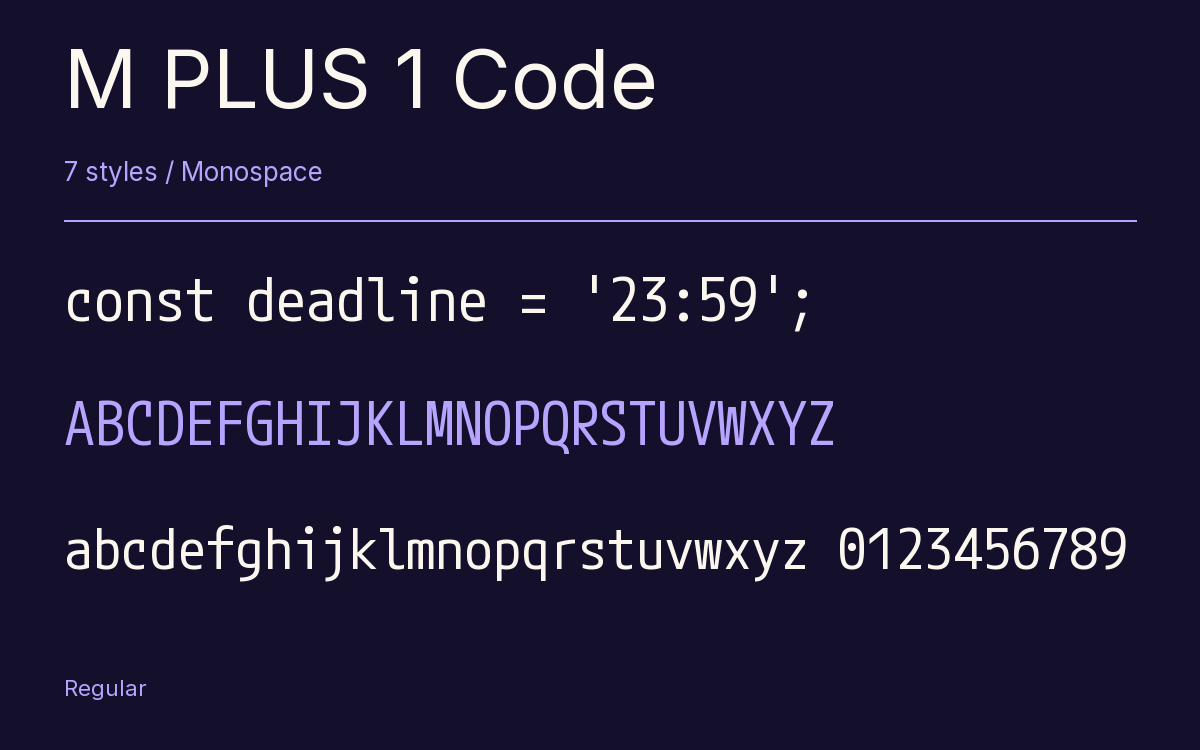
Characters & Figures
6,300 glyphs reported in the reference style. This selection shows 400 recorded characters.
ABCDEFGHIJKLMNOPQRSTUVWXYZ
abcdefghijklmnopqrstuvwxyz
0123456789 & @ ? !
View The Recorded Character Selection
The Font Files
Download
M PLUS 1 Code
7 TTF styles with the accompanying CSS, README and license information.
Download ZIP · 6.4 MB ↓- Version
- 1.005
- License
- SIL Open Font License 1.1
Install On Your Computer
Extract the ZIP first. On Windows, select the font files and choose Install from the context menu. On macOS, open the files in Font Book and choose Install.
Use On A Website
Keep the font files and the included stylesheet together. Update the stylesheet path to match your project.
<link rel="stylesheet"
  href="/fonts/m-plus-1-code-2/m-plus-1-code-2.css">

body {
  font-family: 'M PLUS 1 Code', monospace;
}
Keep the copyright and license notices with redistributed files.
Heading & Body
The family provides the heading; Inter carries the supporting text.
M PLUS 1 Code Heading · Inter Body
Letters, Figures & Code
Names, values and punctuation share a fixed rhythm. Compare the zero with the capital O, and the number one with the lowercase l.